
Stop retyping exams. Import them in minutes.
Drop in a PDF, Word file or even a scanned exam. Smart Converter turns it into a clean, ExamSoft-ready RTF file, with a question bank and exam builder to keep it all organized.
- Fully functional for 21 days
- Free to try
- Windows 10 & 11
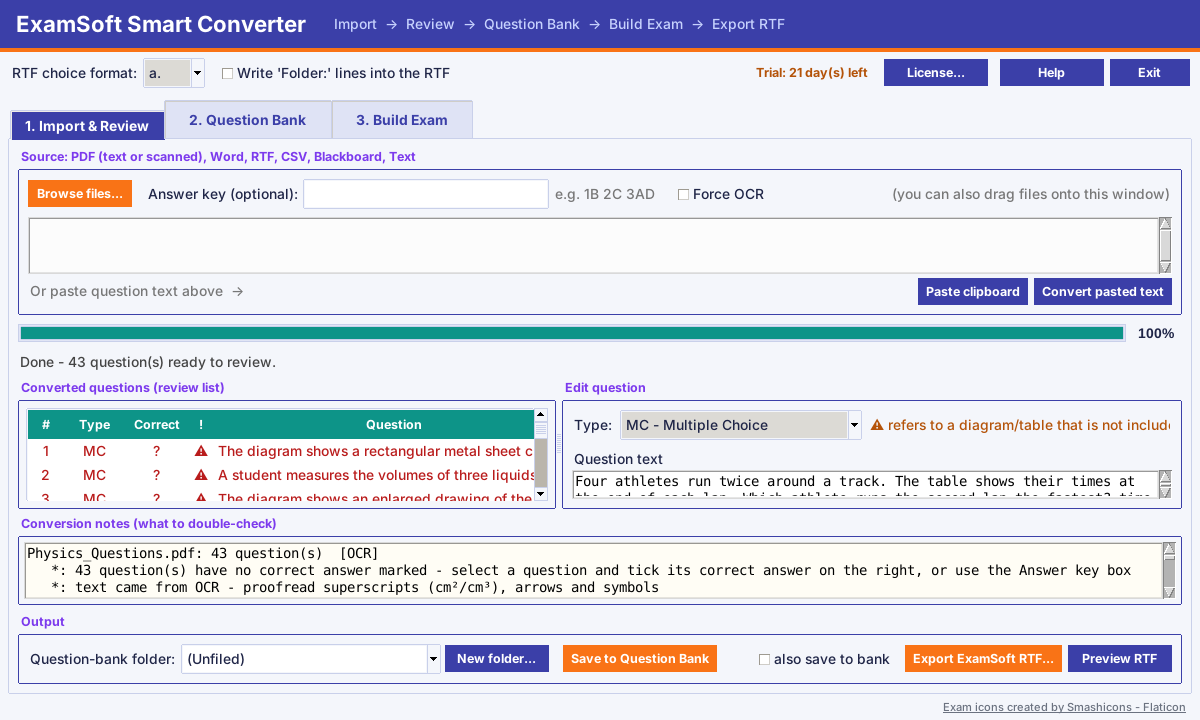
Any exam file. One ExamSoft-ready result.
No special template to follow. Use the exams you already wrote, the way you wrote them.
From file to ExamSoft in three steps
Import
Browse for a file, drag it onto the window, or paste your questions. Scanned pages are read automatically.
Review & fix
Check every question in a simple editor. Missing answers and diagram warnings are flagged for you in red. Nothing is saved until you say so.
Export
One click creates the .rtf file for ExamSoft. Or save the questions to your bank and build exams from them later.
Built around how exams are really made
Reads scanned exams
Built-in OCR turns photographed or scanned pages into editable questions.
Review before saving
See and edit every question first. Warnings point out anything that needs a second look.
Question bank
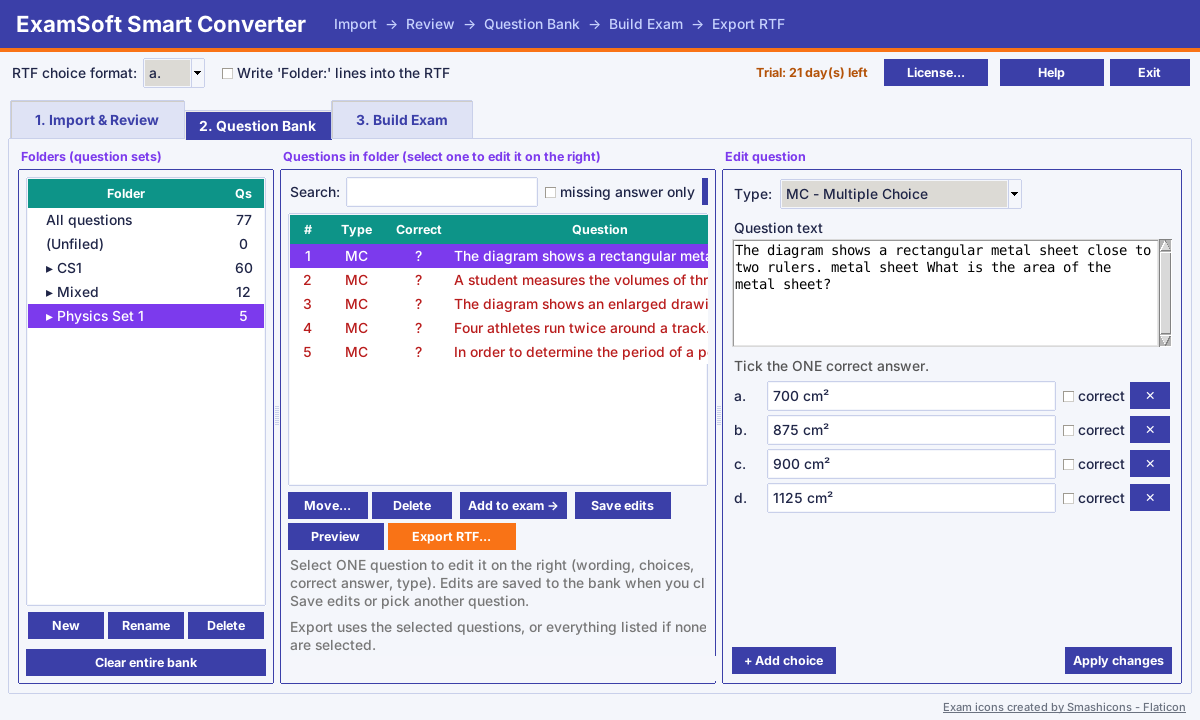
Keep questions in folders, search them, and edit them any time.
Exam builder
Pick questions from the bank, put them in order, shuffle, and export one file.
Type your own
Write new questions right in the program: multiple choice, true/false, essay and more.
Rescues your pictures
Diagrams, graphs and photos are pulled out of your exam, numbered by question, and saved in a folder ready to add in ExamSoft.
One-click updates
When a new version is out, one click installs it and reopens the program. Your questions are kept.
Stays on your PC
Your questions are stored on your own computer. Nothing is uploaded anywhere.
Write once. Reuse every semester.
- Organize questions into folders by course or topic
- Search the question text or the answer choices
- Edit wording, answers and question type any time
- Build a new exam by picking from the bank and export it as a single RTF
- Picture_checklist.html
- Q03_1.png
- Q07_1.png
- Q07_2.png
- Q12_1.png
Example of the folder created next to your exported RTF.
Your diagrams come along for the ride.
An RTF import carries the question text only. Smart Converter finds the pictures in your PDF, scan or Word file and saves each one as its own image, named after its question.
- Each picture is saved as Q07_1.png, so you always know which question it belongs to
- A printable checklist lists every question that needs a picture
- Questions that refer to a diagram are flagged so none are missed
- Pictures stay with the questions in your bank and are exported again when you build an exam
You still attach each picture inside ExamSoft, but the hard part is done: they are cropped, numbered and waiting in one folder.
Try everything free. Keep it when you're ready.
Download it, use every feature for 21 days, and only then decide. No surprises.
Free 21-day trial
The complete program
- Every feature unlocked
- Import, edit, bank, build exams and export
- Nothing to pay to try it
Yearly license key
12 months of use and updates
- Keep importing and converting for a full year
- All updates free while your license is active
- Key arrives by email; paste it into the program
The trial and the license key are two separate steps: download and use the program first. When your 21 days are almost up, come back here and get your key.
Good questions
What happens after the 21 days?
You can still open, edit and export questions already in your bank. Importing or typing new questions needs a yearly license key.
How do I install my license key?
After purchase, the key arrives by email. In the program click License…, paste the key, and click Activate.
Will it update itself?
Yes. When a new version is out, an Update button appears. One click downloads it, installs it over the old version and reopens the program. Your questions and license are kept. Updates are free while your license is active.
Can it bring my pictures and diagrams into ExamSoft?
An ExamSoft RTF import only accepts text, so pictures can't travel inside the file. Instead, Smart Converter pulls each picture out of your PDF, scan or Word file, saves it as a numbered image (for example Q07_1.png) in a folder next to your RTF, and makes a checklist. You then add each picture to its question in ExamSoft. On scanned pages, check that each picture was matched to the right question.
Is it accurate on scanned exams?
Scans are read with OCR, which is very good but not perfect on symbols, arrows and small print. That is why every import goes to a review screen first: always proofread scanned content before exporting.
Does it work on a Mac?
Not yet. It runs on Windows 10 and 11.
Where is my data stored?
On your own computer. The program does not upload your exams or questions. It only contacts the internet to check your license and look for updates.
I need help.
Email lawsonmorton@yahoo.com and we'll get back to you.
Reclaim your time, do it the easy way.
Download the full program, convert a real exam, and see for yourself. It's free for 21 days.